
How to Deliver License Keys Automatically on Shopify
How to deliver license keys automatically on Shopify for software, games, fonts, memberships, and secure digital products.

A software developer launches a utility plugin on Shopify. Sales spike at 2:00 AM while they are asleep. By 7:00 AM, twenty customer support tickets clog their inbox, all reading the same thing: “I paid, but where is my activation code?”
When you sell digital items like software, video games, fonts, or premium membership access, your delivery needs to be instant. Forcing paying customers to wait for a manual email is the fastest way to earn a chargeback or a negative review.
The good news is that you do not need to sit at your desk refreshing your order screen to copy and paste serial numbers. Shopify can handle the entire distribution pipeline instantly. This guide covers how to automate license key delivery, secure your intellectual property, and set up a reliable checkout flow that keeps support tickets at zero.
If your digital product requires an activation code, manual fulfillment is a ticking clock for your business reputation. Customers who buy digital software expect immediate gratification, much like shopping on the Steam platform. A delay of even thirty minutes can spark buyer anxiety.
Automation keeps your operations alive when you are offline. It transforms your store from a high-maintenance manual job into a self-sustaining asset. A creator selling specialized laser engraving activation codes on Etsy might manage five manual orders per day, but scaling to fifty orders daily on Shopify without automated handoffs is impossible.
Beyond speed, automation eliminates human error. Copying the wrong alphanumeric sequence from a spreadsheet or sending a used code to a new buyer ruins the user onboarding experience. Automated asset management ensures each customer receives a unique, unassigned string of data precisely when their payment clears.
Running out of serial codes will stall your business operations completely. Unlike standard digital files like PDFs that can be duplicated infinitely, license keys are typically finite resources. If you sell out of your pre-generated pool of codes, Shopify will happily keep collecting customer money, but your delivery system will send blank emails.
Digital products are prime targets for friendly fraud and stolen credit cards. Because there is no tracking number or physical delivery address, bad actors frequently purchase software keys and immediately claim they never received them. If your system auto-delivers a premium key to a high-risk order, that expensive serial asset is gone forever before you can review the transaction.
Many developers sell different tiers of the same software, such as personal, professional, or enterprise licenses. If your delivery infrastructure cannot differentiate between a single-user license and an enterprise bundle, you will accidentally distribute high-tier codes to low-tier buyers. Keeping your internal product variants properly synchronized with individual code pools requires explicit technical boundaries.
Choosing the right tool determines whether your post-purchase experience is seamless or chaotic. Avoid generic file-delivery systems that treat serial codes like regular text attachments. Look for specialized inventory safeguards instead.
Distinct code pools per variant: Your app must allow you to upload separate CSV files of serial strings for each individual product variant.
Low inventory alerts: Choose software that pings your email or phone when your unassigned license key stock drops below a specific threshold (like twenty remaining codes).
Risk-assessment holds: The system must integrate directly with Shopify’s built-in fraud analysis engine. If an order triggers a high-risk flag, the system should pause delivery automatically.
Flexible delivery surfaces: Customers should find their codes in multiple places, specifically on the order confirmation screen and inside a dedicated email.
Setting up an automated delivery pipeline takes less than fifteen minutes when using a dedicated digital distribution app. Follow these step-by-step phases to link your software products to your serial inventory pools.
Before touching your online store, compile your activation keys inside a spreadsheet. Organize your document so that column A contains your unique serial alphanumeric strings. Ensure there are no duplicate entries or spaces at the end of your codes, then export this document specifically as a CSV file.
Navigate to the Shopify App Store and install the Big Digital Downloads extension. This platform lets you manage files alongside unique code databases within a single dashboard. The installation process injects the necessary secure scripts into your checkout workflow without manual theme code editing.
Open your Big Digital Downloads dashboard and select the specific software product you want to configure. Click on the license key section, name your key list for tracking purposes, and upload the CSV spreadsheet you prepared in step one. The system will read your file, count the available codes, and set the initial inventory level.
Navigate to your settings panel to choose how your customers see their keys. Turn on the option to display the assigned license code directly on the Shopify order thank-you page. Next, customize your email template using your brand colors. Finally, enable the safety toggle that pauses code delivery for any purchase flagged as medium or high risk by Shopify’s fraud algorithm.
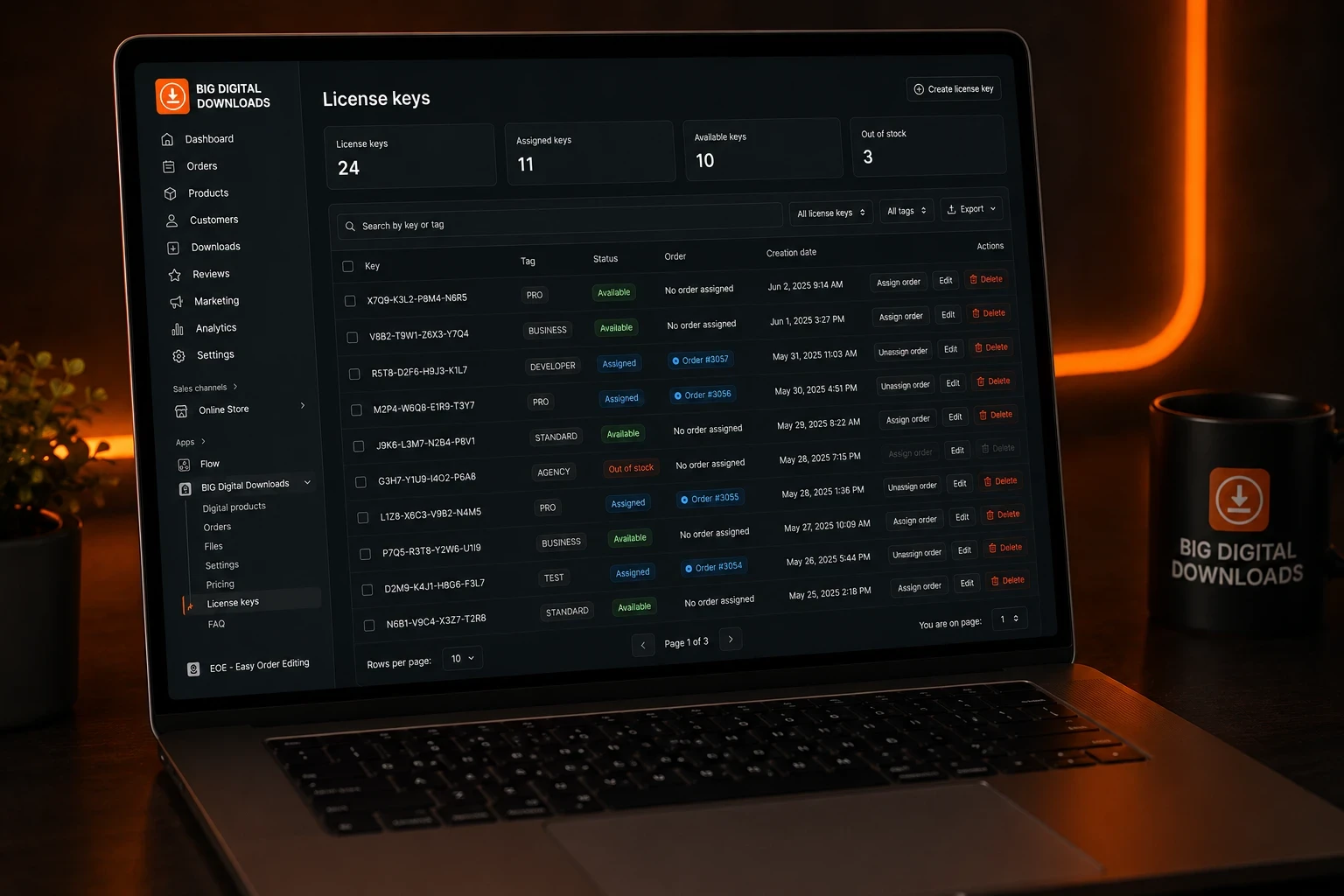
Big Digital Downloads is an excellent choice for merchants who sell both digital files and serial codes simultaneously. It allows you to deliver a downloadable software installer file along with a completely unique, automated activation key in one checkout flow. The application includes a free tier that supports 50 total orders per month and unlimited license keys. Paid tiers begin at $9.99 per month for unlimited digital orders and advanced tools like custom order limits and PDF stamping. The main trade-off is that it focuses on clean simplicity. If you need highly advanced SMS code delivery, you will need an app built exclusively for phone notifications.
This specialized app from Digital Product Labs is designed solely for high-volume serial key distribution, making it popular for game code resellers. It excels at bulk code management and includes native SMS text message integrations to ping buyers their numbers on their mobile phones. Pricing starts at $15 per month, capping your store at 300 monthly orders, while higher tiers reach up to $44 per month. While its SMS feature is powerful, its user interface is significantly more complex than standard file apps. It is also less optimized if your business expands into selling ebooks or video courses alongside your keys.
Digitally offers a hybrid solution that covers files, QR codes, and basic license strings. It features a free installation tier for up to 50 monthly orders, transitioning to a $7.99 monthly plan for 200 orders. This app is highly efficient for creators who want to use QR codes for event access or digital lotteries alongside traditional key generation. However, its bulk CSV importing functions are less robust than dedicated key platforms, occasionally requiring manual inventory corrections if your spreadsheet formatting deviates slightly from their template.
Never make your customers highlight text manually on their mobile screens to copy an installation code. Use your delivery app settings to display a clear, clickable copy icon directly next to the alphanumeric string. This small user experience detail reduces formatting typos when buyers try to activate their software.
Boost your average order value by bundling multi-user packages together. For example, if a single-user font license costs $15, offer a three-site activation bundle for $35. State the mathematical savings clearly on your product page: 3 separate keys x $15 value = $45 retail price, bundle saves you $10. You can learn more about configuring these offers in our comprehensive guide on How to Bundle and Upsell Digital Products on Shopify.
Before you open your store to the public, create a hidden test product priced at $0.00. Run through the entire purchasing cycle yourself using an alternate email address. Verify that your system assigns a single key correctly, subtracts it from your uploaded pool, and displays it clearly on both the thank-you screen and the automated email confirmation.
If your software requires a complex setup process, do not just deliver the code by itself. Use your system to attach a helpful onboarding resource along with the serial string. For inspiration on structuring these assets, review our tutorial on How to Sell Ebooks and PDFs on Shopify.
Your delivery app distributes the codes, but your software code itself must validate them. To stop piracy, ensure your development team hooks the assigned serial strings into a remote validation server that limits concurrent activations. You should also limit your customers’ ability to download the underlying software installer file repeatedly. Learn how to implement these restrictions in our deep dive on how to Add Download Button to Thank You Page on Shopify.
Shopify will continue processing product transactions as usual because it views digital products as having infinite inventory. However, your delivery backend will stall, leaving customers without an activation string. To prevent this, configure your delivery app to send a low-stock alert email when your code pool drops below twenty available units. This alert gives you enough time to upload a fresh CSV file.
Standard Shopify admin settings cannot manufacture random codes out of thin air. You must use an app like Big Digital Downloads to upload a pre-made list of unique codes generated by your own software building environment. Alternatively, some dedicated apps offer basic algorithmic generators that can build simple, random strings automatically during checkout if you do not use pre-seeded keys.
Yes, you should always halt automated delivery for high-risk transactions. Stolen credit cards are frequently used to buy software codes because the keys can be sold instantly on secondary markets. Enabling fraud-analysis holds allows you to manually review a flagged purchase before your system gives away a valuable code that can never be recovered.
Automating your license key delivery protects your time and ensures your customers get immediate access to their software purchases. By removing manual copy-pasting from your daily routine, you eliminate delivery delays, minimize human typing errors, and build a business that runs smoothly twenty-four hours a day. Ready to automate your software delivery workflow? Install Big Digital Downloads today to securely distribute your digital files and activation codes completely on autopilot.

