How to Sell World Cup Canva Templates on Shopify in 2026 (Reviews and Pricing)
How to sell World Cup Canva templates on Shopify in 2026, including product ideas, pricing, delivery, and customer access.
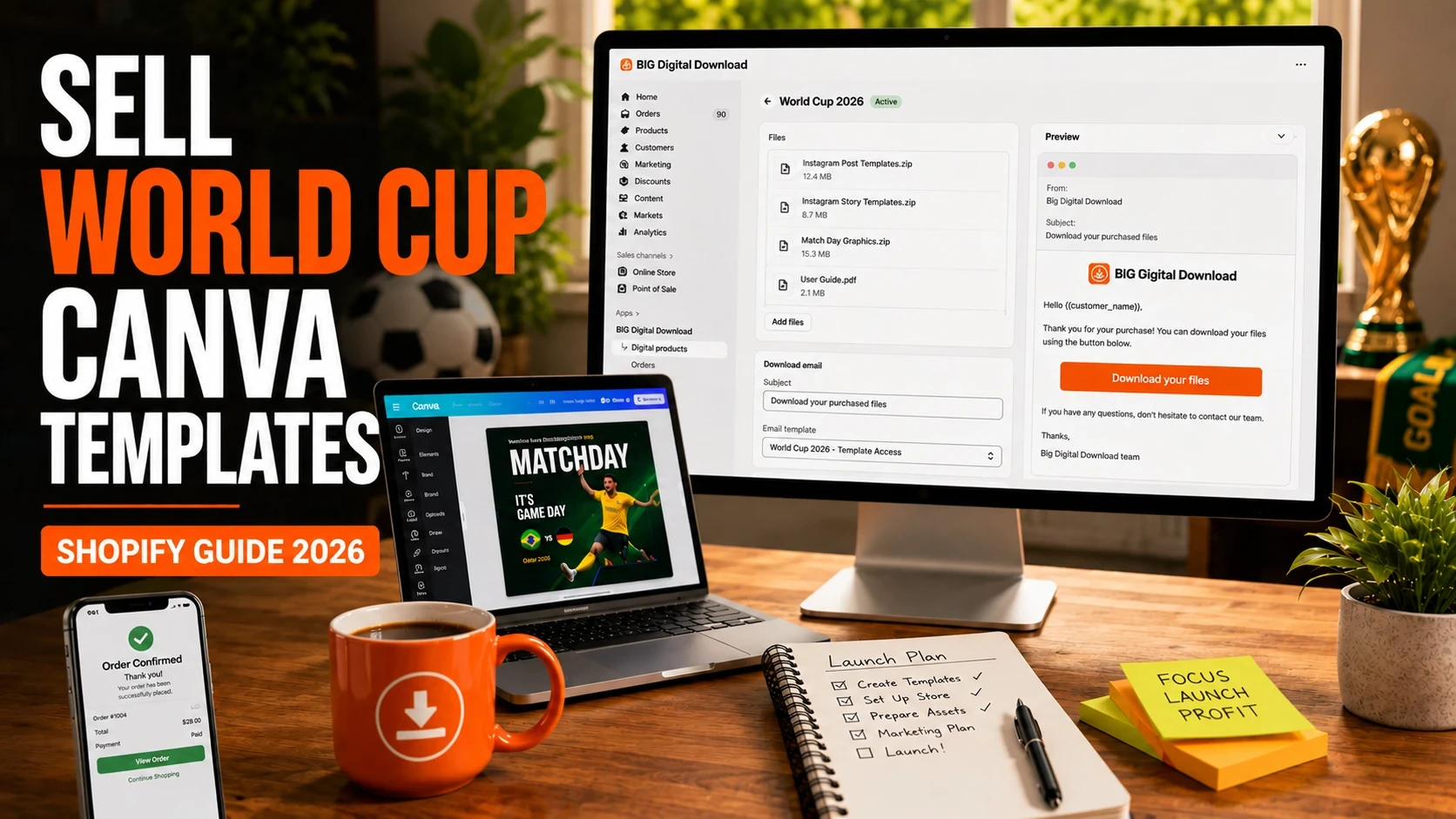
A designer with a 3,000-follower Instagram account doesn't need a massive audience to make money from digital products during the World Cup. A bundle of 50 Instagram Story templates, 20 match prediction graphics, and 15 tournament bracket designs can sell for $19 to $49 repeatedly without additional production costs.
The challenge isn't creating the templates. Canva makes that part relatively easy. The challenge is delivering files automatically, protecting download links, handling customer access, and keeping everything organized once orders start coming in.
The World Cup creates a short but intense buying window. Brands, fan pages, sports influencers, local clubs, bars, restaurants, and content creators all need tournament-themed graphics quickly. If you're prepared before kickoff, Shopify can become a much more profitable channel than relying entirely on marketplaces.
By the end of this guide, you'll know how to create, deliver, price, and sell World Cup Canva templates on Shopify.
World Cup content follows a predictable pattern. Demand spikes before the tournament, accelerates during the group stage, and remains strong through the knockout rounds.
Unlike evergreen template categories, sports templates benefit from urgency. A restaurant promoting a watch party doesn't have weeks to wait. A football content creator covering match results needs graphics immediately.
You can see the demand by browsing Canva template categories on Etsy, where football-themed social media templates consistently appear around major tournaments. Many sellers package Instagram posts, Stories, scorecards, prediction graphics, and bracket templates into a single product.
The appeal is simple:
No inventory
No shipping
Instant delivery
Global customer base
High margins
A template bundle sold 100 times at $29 generates $2,900 from a product created once.
If you're new to digital products, our guide on Digital Product Ideas That Sell: 20 Proven Examples covers additional categories that pair well with Canva templates.
The biggest advantage of Shopify is ownership. On marketplaces, you're competing against thousands of nearly identical listings. On Shopify, you control the customer experience, pricing, email capture, upsells, and branding.
Selling templates sounds simple until customers start buying.
Most Canva products are delivered through template share links.
A common mistake is manually emailing those links after every purchase.
That works for five sales.
It becomes a nightmare at fifty sales.
Customers expect instant access. If someone buys a template pack at 2:00 AM after a match ends, they're not waiting until morning for delivery.
Automated digital delivery solves this problem.
A generic social media template can sell for years.
A World Cup template has a limited lifespan.
That means you need:
Fast product creation
Fast launch timelines
Aggressive promotion during the tournament
Bundles that maximize revenue during the sales window
Many successful sellers release updated packs for:
Group stage
Round of 32
Round of 16
Quarterfinals
Semifinals
Final
Instead of treating the World Cup as one product, they treat it as a product line.
Many buyers have never used Canva templates before.
If your delivery package contains only a Canva link, you'll generate support emails.
Include:
Canva access instructions
Template editing instructions
Font recommendations
Export settings
The fewer questions customers have, the fewer support tickets you'll receive.
This is where many sellers make mistakes.
You generally should not use official FIFA logos, official World Cup branding, or trademarked tournament assets unless you have permission.
Instead, focus on:
Football-inspired graphics
Generic tournament designs
Match prediction layouts
Team-neutral content
Editable sports templates
The safer your design system, the lower your legal risk.
Not all digital delivery setups are built for template sellers.
Customers should receive access immediately after payment.
No manual emails.
No copy-pasting links.
No waiting.
If you're selling during a live sporting event, instant delivery becomes essential.
A Canva template isn't a physical product.
Your protection layer is access management.
Look for:
Secure delivery
Download tracking
Expiring links
Controlled access
These features help reduce unauthorized sharing.
Most World Cup template packs contain more than one asset.
A typical bundle may include:
Instagram posts
Instagram Stories
Match graphics
Tournament brackets
Team announcement templates
Score graphics
Watch-party promotions
Your delivery system should allow multiple files and resources within a single product.
The most profitable stores rarely sell one template at a time.
Consider this simple value calculation:
Individual Products
Instagram Pack: $19
Match Graphics Pack: $19
Bracket Pack: $15
Total: $53
Bundle Price
Complete World Cup Creator Bundle: $39
Customers save $14.
You increase average order value.
Everyone wins.
If you're planning bundle strategies, our guide on How to Bundle and Upsell Digital Products on Shopify covers several approaches that work particularly well for template sellers.
Before publishing your first product, confirm:
✓ Canva links tested
✓ Mobile preview checked
✓ Product images created
✓ Download instructions included
✓ Delivery automation active
✓ Thank-you page configured
✓ Bundle offer added
✓ Email capture enabled
This five-minute review can prevent hours of customer support later
Start by identifying a specific buyer.
Examples include:
Sports influencers
Football fan pages
Local clubs
Sports bloggers
Watch-party venues
Restaurants
Sports bars
The more specific the audience, the easier the product is to market.
A restaurant needs promotional graphics.
A football creator needs match recap graphics.
A sports bar needs watch-party posts.
Those are different products.
Create a master folder containing:
Canva access links
PDF instructions
Bonus resources
Preview images
Keeping everything organized before launch prevents mistakes later.
Upload product screenshots showing:
Before-and-after examples
Mobile previews
Template variations
Editable sections
Many buyers purchase based almost entirely on preview images.
Show exactly what they're getting.
This is where most template sellers save the most time.
Instead of manually sending Canva links after each purchase, connect a digital delivery app that automatically provides access after checkout.
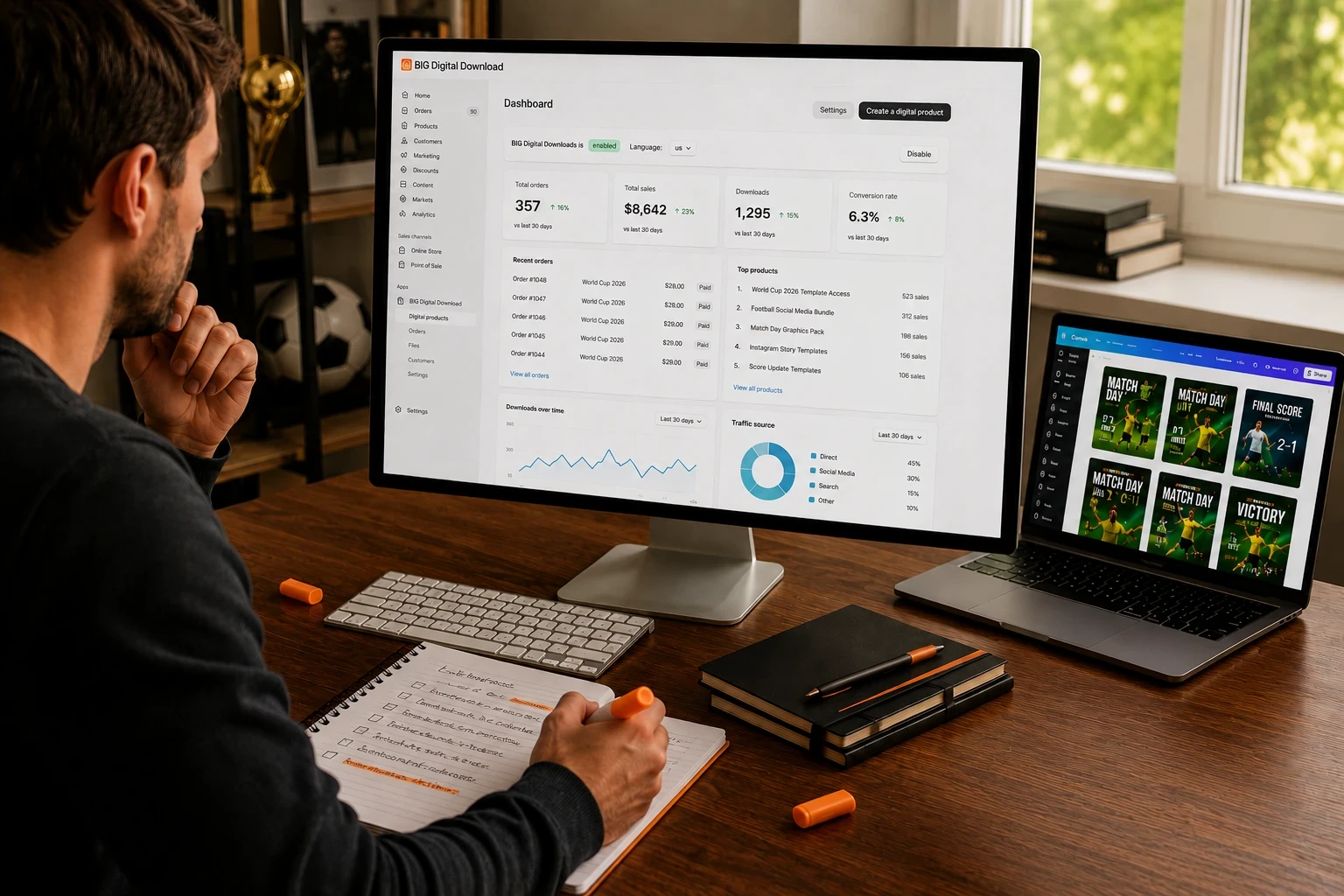
For sellers handling Canva templates, ebooks, PDFs, design assets, and other downloadable products, Big Digital Downloads is designed specifically for Shopify digital delivery workflows.
The app supports automatic file delivery, download management, and customer access handling directly within Shopify.
If you're already selling other digital products alongside templates, you may also want to read How to Sell Ebooks and PDFs on Shopify to build a broader product catalog.
The sale doesn't end when payment is completed.
Customers should immediately understand:
Where their templates are
How to access Canva
How to make a copy
How to customize designs
How to export finished graphics
Adding a download button directly to the Shopify order flow can significantly reduce support requests. If you're building a smoother post-purchase experience, see Add Download Button to Thank You Page on Shopify.
If you'd like to watch someone build and sell Canva products from scratch, YouTube creator Aurelius Tjin has an excellent tutorial covering Canva template businesses and digital product workflows. The video demonstrates product packaging, pricing, and customer delivery strategies that align closely with the setup described here.
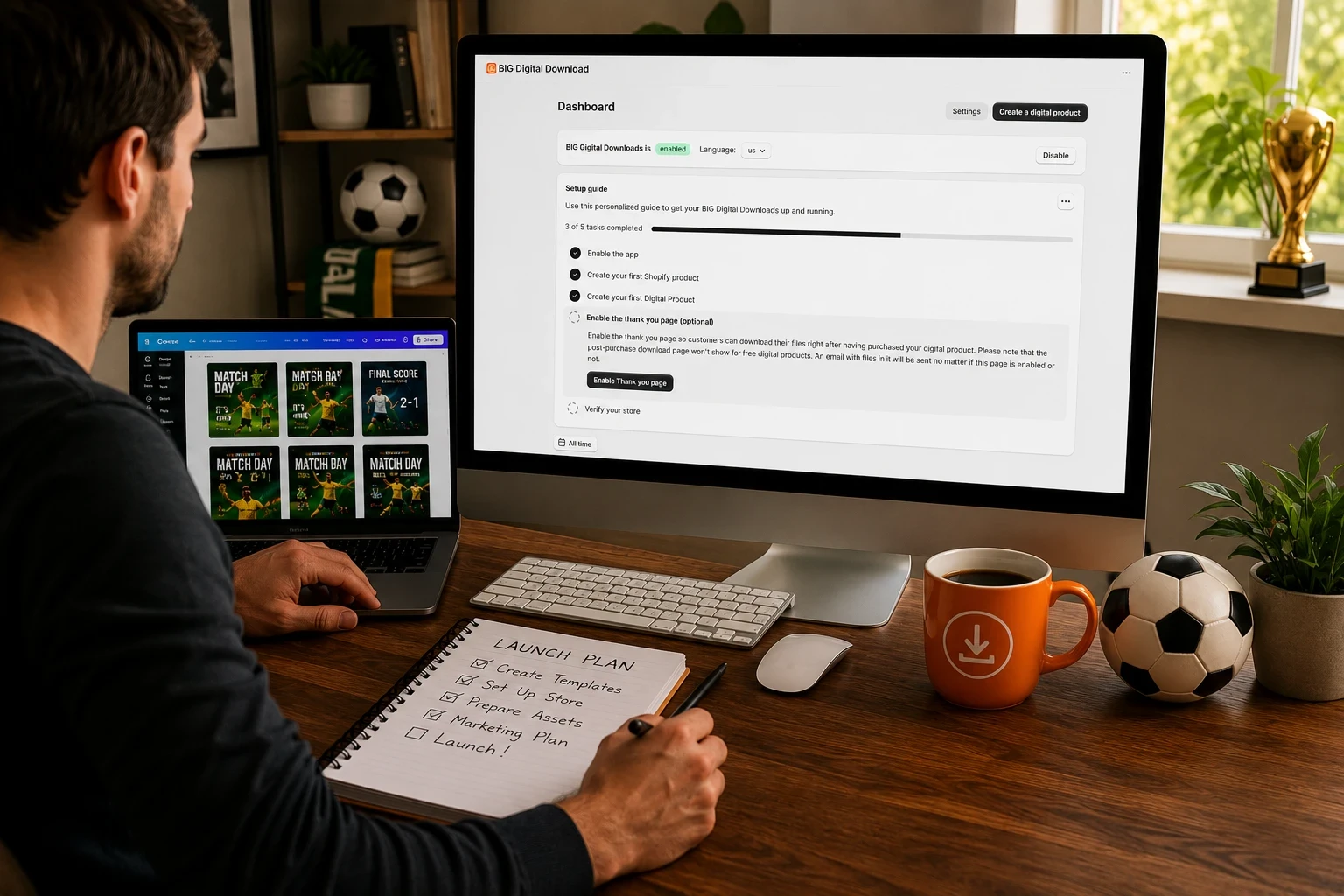
Big Digital Downloads is best suited for creators whose primary business revolves around downloadable products.
For a World Cup template seller, the biggest advantage is simplicity. You create the product, attach your digital assets, and automate delivery. That removes the manual work that often becomes overwhelming during tournament periods when orders arrive around the clock.
The app is particularly useful if you plan to expand beyond Canva templates into ebooks, printables, guides, software, presets, or other downloadable products. Instead of building separate workflows later, you start with a system designed around digital fulfillment.
The limitation is that merchants focused heavily on subscriptions or membership communities may eventually require additional tools.
Sky Pilot has been one of Shopify's longest-standing digital delivery apps.
Its biggest strength is flexibility. Merchants selling larger files, video content, or structured learning materials often appreciate the customization options available.
For template sellers, Sky Pilot can handle delivery effectively, although some merchants may find the setup process more involved than they need for straightforward Canva products.
Sky Pilot is often a strong choice for creators building larger digital businesses with multiple content formats.
Filemonk is popular among merchants looking for a lightweight digital download solution.
Its main advantage is accessibility. New Shopify sellers can typically get products online quickly without much technical setup.
For smaller World Cup template catalogs, Filemonk may be sufficient.
The tradeoff is that some growing businesses eventually want more advanced delivery workflows and customer management features as their catalog expands.
Shopify's own Digital Downloads app remains a common starting point for new merchants.
The biggest benefit is familiarity. Many merchants prefer beginning with a solution maintained directly within the Shopify ecosystem.
For simple template products, it can work well.
However, as order volume grows, many digital sellers look for additional delivery controls, analytics, and customer-facing features that extend beyond basic file distribution.
If budget is your primary concern, our guide on Best Free and Low-Cost Shopify Apps for Selling Digital Products compares several options in greater detail.
Most sellers wait too long.
Demand often begins weeks before kickoff as businesses prepare marketing campaigns and promotional materials.
A template pack released two weeks before the opening match can outperform one released during the tournament itself.
Customers rarely need one graphic.
A sports creator typically needs:
Match predictions
Lineup graphics
Score updates
Match results
Brackets
Tournament announcements
Package everything together.
Bundles increase perceived value and reduce purchase friction.
Mockups sell templates.
Show:
Instagram feeds
Story examples
Mobile screens
Sports branding scenarios
The closer buyers get to visualizing the finished result, the easier the purchase decision becomes.
One of the smartest strategies is updating products throughout the tournament.
A customer who buys your group-stage bundle may later purchase:
Round of 16 graphics
Quarterfinal packs
Semifinal templates
Final match content
Instead of finding new customers every week, you're selling more products to existing buyers.
The World Cup ends.
Your audience doesn't.
Every customer interested in football templates today may become a buyer for:
Champions League graphics
Premier League templates
Copa América content
Sports social media bundles
General Canva marketing packs
The email list becomes more valuable than any individual tournament product.
You can generally sell football-themed and tournament-inspired templates, but you should avoid using official FIFA logos, official World Cup branding, trademarked assets, or copyrighted materials unless you have permission. Many successful sellers focus on generic sports graphics instead.
Most Canva template bundles sell between $9 and $49 depending on the number of templates included and the target audience. Larger commercial-use bundles often command higher prices when they solve a specific marketing need.
They serve different purposes. Etsy provides built-in traffic but also significant competition. Shopify gives you full control over branding, customer relationships, pricing, and email marketing. Many successful sellers use both channels simultaneously.
Popular bundles typically include Instagram posts, Stories, score graphics, prediction templates, bracket graphics, lineup announcements, match results, and promotional designs for watch parties or events.
World Cup Canva templates combine two powerful advantages: a fast-growing digital product category and a major global event that creates urgent demand.
The creators who perform best aren't necessarily the best designers. They're the ones who launch early, package products effectively, automate delivery, and build systems that scale during tournament traffic spikes.
If you're selling Canva templates on Shopify, a dedicated digital delivery workflow can save countless hours while improving the customer experience. Big Digital Downloads provides one way to automate that process so you can focus on creating products instead of manually fulfilling orders.