
PDF Stamping on Shopify: How to Watermark Digital Products Automatically
PDF stamping on Shopify: learn how to watermark digital products automatically, reduce sharing, and protect printable files.
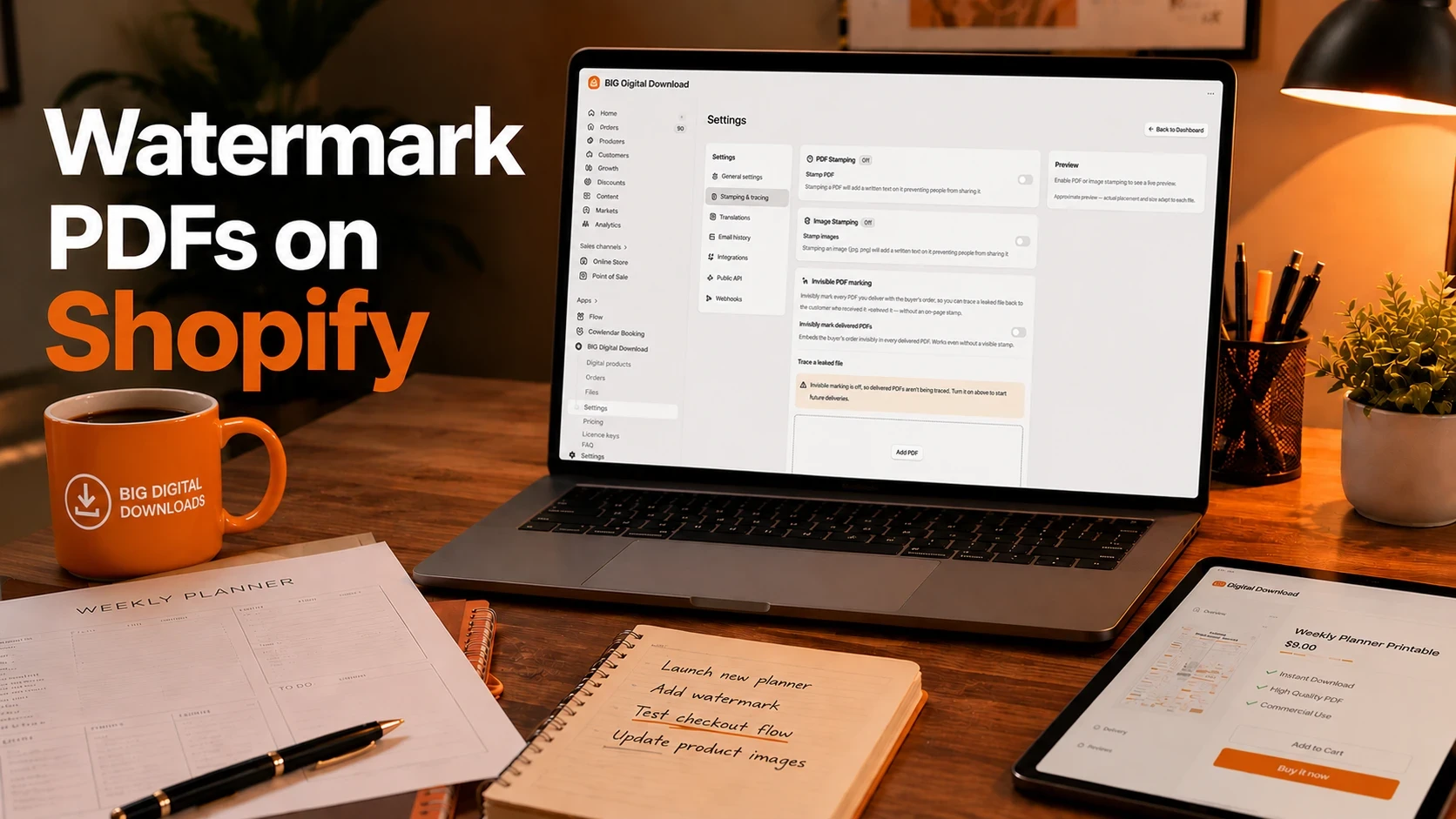
A printable seller does not lose money because their PDF is easy to make. They lose money because it is easy to forward, resell, and support badly. That is why PDF stamping matters: it makes each download traceable to a buyer, cuts down on casual sharing, and gives you a cleaner delivery flow on Shopify. Big Digital Downloads documents built-in PDF stamping, email delivery, thank-you page delivery, and customer account access, but it also makes the limits clear: it stamps PDFs only, not ZIP files, and it works when you deliver files individually, not with “download all at once.”
The demand is already there. On Etsy, printable PDF and PDF template pages surface live listings for calendars, planners, rental agreements, bid sheets, and workout guides. On Gumroad, creators are selling products like Matt Bio’s Notion Content Creator and Pascio’s Notion To-Do List. Stan Store also tells creators to sell Canva templates, social graphics, Lightroom presets, printable art, planners, journals, worksheets, recipes, and wellness plans. If you sell PDFs on Shopify, this is not a theoretical problem. It is a real delivery and protection problem, and this article shows you how to handle it.
PDF stamping matters because it gives you traceability without slowing down delivery. A stamped file still feels instant to the customer, but it also carries buyer-specific details that make leaks easier to trace and support tickets easier to handle. That matters most when your product sells for $9 to $49 and one forwarded file can ripple through a small catalog fast. Big Digital Downloads shows that its starter tier includes PDF stamping at $9.99 per month, while the free tier starts at 250MB storage and 50 orders, so even a small store can get into this workflow without a heavy setup cost.
The bigger point is that stamping is a protection layer, not a magic wall. Shopify Community users have asked for a free app that includes watermarking or PDF stamping, which tells you the real pain is common enough that people keep looking for a simple answer. Reddit threads also show the same pattern: sellers want the file to be traceable, but they know a watermark alone will not stop every leak. That is the right mental model. You are building friction, accountability, and better support, not perfect lockdown.
One quick way to think about it: if a $12 PDF gets shared five extra times, the damage is not only lost revenue, it is also lost trust and extra support work. A stamp does not solve everything, but it raises the cost of casual misuse enough that many sellers will never see the problem become bigger than the margin. That is usually the real win.
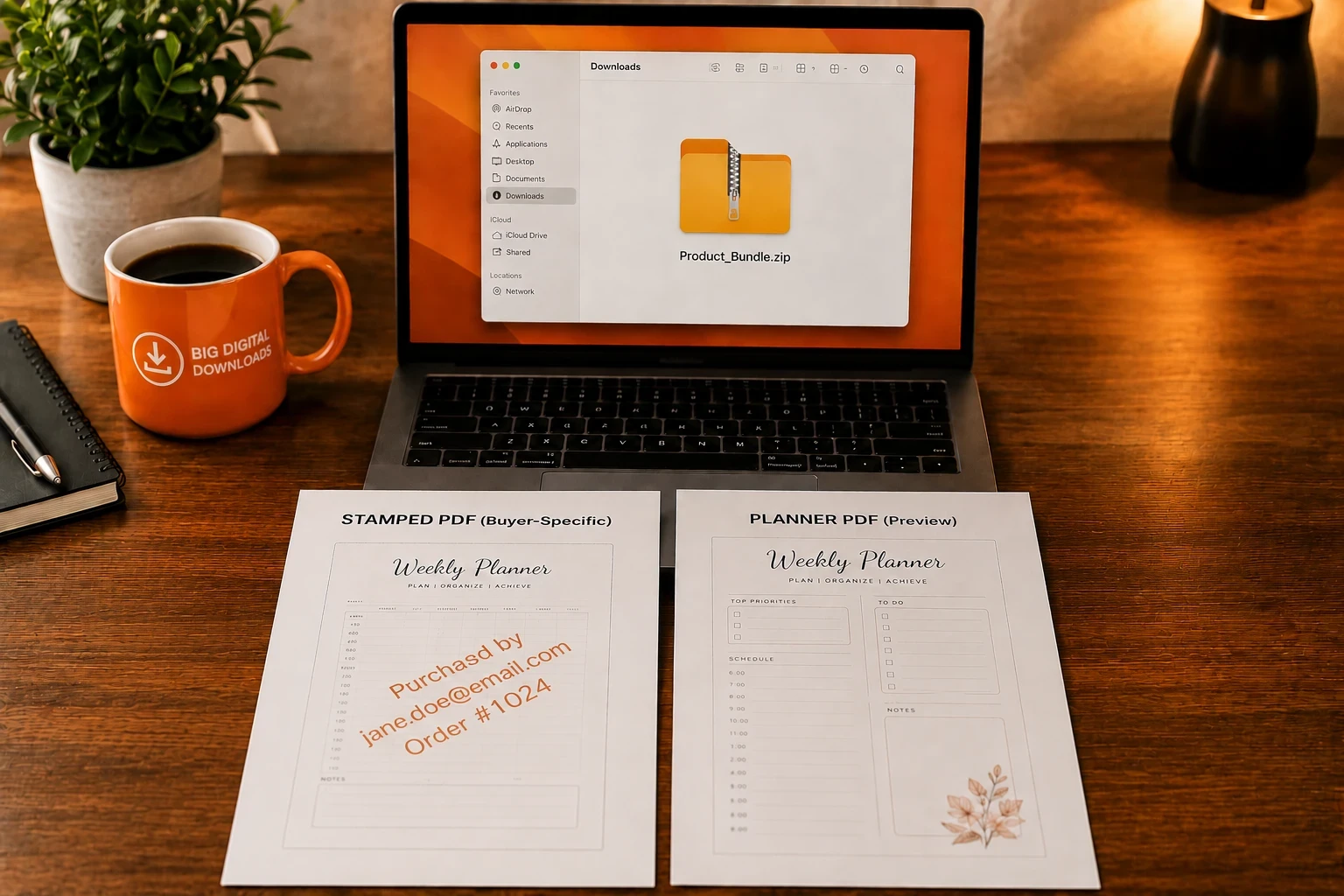
PDF stamping gets messy when the file structure, delivery method, and customer flow do not match. The most common mistake is trying to stamp a ZIP file and expecting the PDF inside it to be protected automatically. Big Digital Downloads says it can only stamp a PDF, not a PDF inside a ZIP folder, so the packaging choice matters before you even hit publish.
Big Digital Downloads is explicit here: if you use “download all at once,” the stamping feature will not work, and the product must be set to “download files individually.” That is a small settings change, but it is the difference between a protected delivery and a broken one. If your product bundle really needs a ZIP, keep the ZIP separate from the stamped PDF so you are not fighting the app.
Customers only receive files after Shopify marks the order as paid, and Big Digital Downloads says that if the order is still on hold, the app will not deliver the digital product yet. That is good from a fraud standpoint, but it also means you need to test your checkout flow carefully, especially if you use draft orders, manual review, or delayed fulfillment. If you also sell software or mixed product bundles, the workflow gets closer to How to Set Up Software Downloads on Shopify than a simple static PDF download.
A buyer can still screenshot a page, retype content, or send the file to someone else. That is why watermarking works best when it is paired with download limits, refund rules, and a clean support flow. In other words, the stamp is the trace, not the trap.
You should look for three things first: buyer-specific stamping, flexible delivery, and a pricing plan that matches file size. If a tool cannot stamp with customer details, cannot deliver from a thank-you page or account page, or runs out of storage too early, it will frustrate you long before it helps you. Big Digital Downloads, Filemonk, Fileflare, SendOwl, and Shopify’s Digital Downloads app all solve the broad delivery problem, but they do it with very different limits and protection layers.
The best stamping setups let you personalize the stamp with buyer details such as order number, customer email, and customer name. Big Digital Downloads supports variables like {shop}, {order-number}, {order-name}, {customer-email}, and {customer-name}, which is exactly the kind of traceability you want if a file leaks. That is stronger than a generic “Protected by Store Name” watermark because it points back to a specific order.
A good app should deliver the file by email, on the thank-you page, and in customer accounts. Big Digital Downloads documents all three. Filemonk also supports email delivery and thank-you page delivery, while Fileflare adds customer account downloads and more advanced delivery controls. If your customer experience is fragile, the best watermark in the world will not save the sale.
This is where the plans start to matter. Big Digital Downloads starts with 15GB storage and 50GB bandwidth on Starter, then 50GB and 500GB on Pro, then 1TB and 1TB on Growth. Filemonk’s free tier is lighter at 250MB and 50 orders, with Lite at $10 per month adding PDF watermarking and fraud checks. Fileflare’s Growth tier is $39 per month with 1TB storage and unlimited bandwidth, which is a better fit if your files are large or your audience is heavy.
The cleanest setup is simple: upload the PDF, attach it to the Shopify product, turn stamping on in the app settings, and test the full customer journey before you launch. Big Digital Downloads says its flow is built around a linked Shopify product plus one or several files, and it can deliver that file by email, on the thank-you page, or in customer accounts.
Start by creating or opening the digital product in Big Digital Downloads, then attach the PDF you want to protect. If the product has multiple files, keep the stamped PDF separate from any ZIP archive so you do not run into the stamping limitation. If you are selling a PDF plus a bonus file, this is also the right moment to think about bundling, which pairs nicely with How to Bundle and Upsell Digital Products on Shopify.
Big Digital Downloads says the stamp lives in the app’s Settings tab, under General settings, where you switch PDF stamping to Yes. That is where you set the stamp text and adjust its placement and font size. The app supports variables like {shop}, {order-number}, {order-name}, {customer-email}, and {customer-name}, so the stamp can be personal without manual editing.
The safest default is to deliver the file in more than one place. Big Digital Downloads supports email delivery, a thank-you page download, and access inside customer accounts. If you have never built that part before, pair this article with Add Download Button to Thank You Page on Shopify so the checkout moment feels clean and immediate.
A draft order or test purchase is worth the time because it shows you whether the stamp appears, whether the email arrives, and whether the thank-you page download works. Big Digital Downloads has a help article for testing the app with a draft order, and that is the right place to confirm the stamp before customers ever see it. If you also sell ebooks, keep How to Sell Ebooks and PDFs on Shopify nearby as your companion setup guide.
If you want to see a Shopify digital-download walkthrough in video form, How to Sell PDFs on Shopify from Shopify Tips & Tutorials is the closest match I found. The channel appears to be around 1.51K subscribers, so it is smaller than the ideal benchmark, but the process is practical and closely related to the setup above.
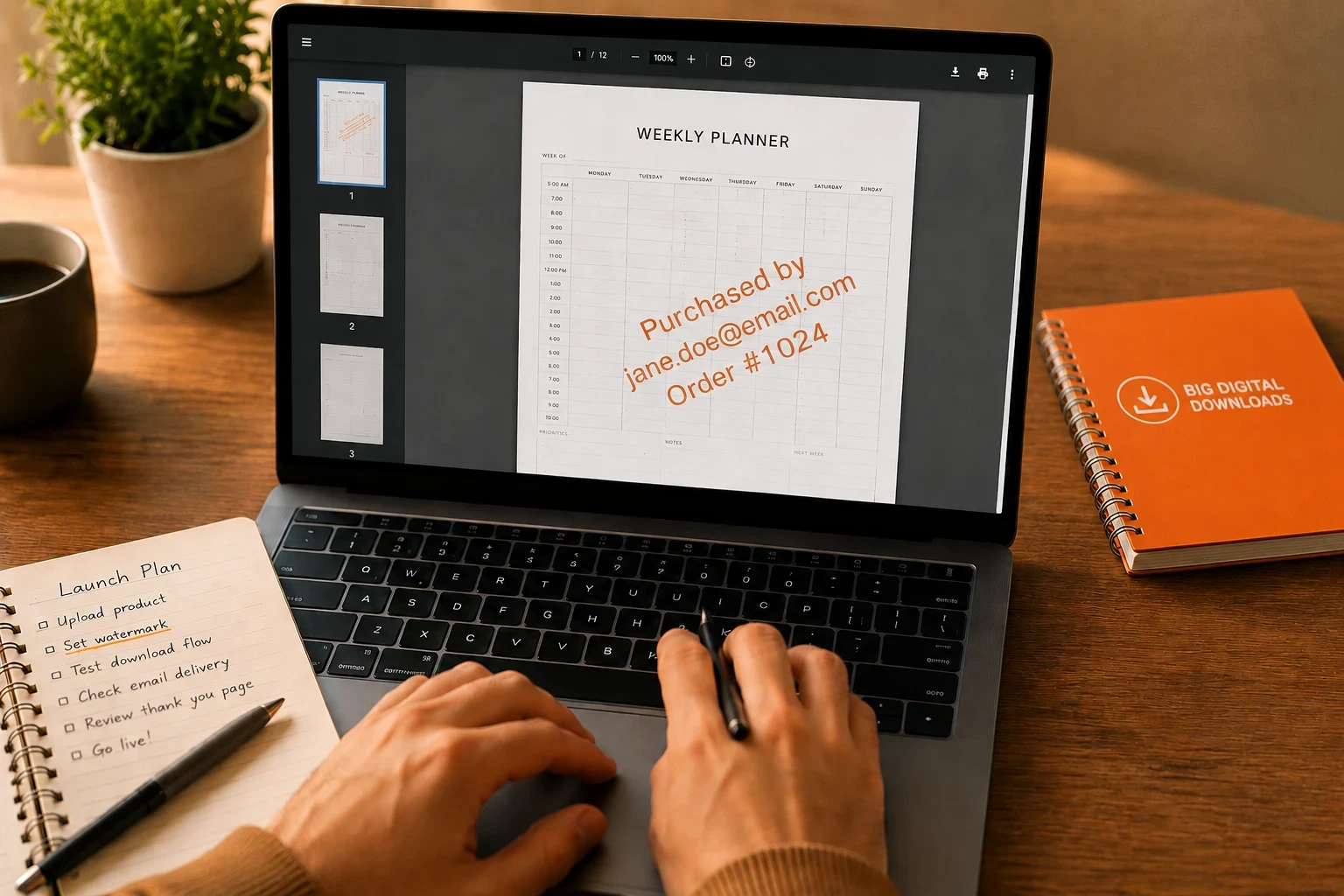
Big Digital Downloads is the first app I would look at if you want a direct, low-friction stamping workflow inside Shopify, because its help center confirms built-in PDF stamping and its app store page shows a $9.99 starter tier with 15GB storage, 50GB bandwidth, and a 4.9 rating from 805 reviews. The main tradeoff is simple: it stamps PDFs, but it does not stamp PDFs hidden inside ZIPs, so it is best when your delivery model is clean and direct.
Big Digital Downloads is best for Shopify sellers who want stamping, download limits, and a straightforward product-to-file setup without paying for a bigger platform than they need. Its starter plan is $9.99 per month, and the Growth plan goes to $49.99 with 1TB storage and 1TB bandwidth, which makes it easy to scale from small catalogs to heavier ones. Its real weakness is also its clarity: the app is great for stamped PDFs, but ZIP handling is not the place to expect magic.
Filemonk is the strongest pick if you want a friendly free plan and a polished on-ramp. It is rated 5.0 across 430 reviews, offers a free tier with 250MB upload and 50 orders per month, and its Lite plan at $10 per month adds PDF watermarking, refund checks, and fraud checks. The limitation is obvious for bigger sellers: the free tier is small, and the Lite tier still caps uploads at 10GB.
Fileflare is the better choice when you need heavier delivery infrastructure. It is rated 4.8 across 144 reviews, its Growth plan is $39 per month, and that tier includes 1TB storage, unlimited bandwidth, customer account downloads, custom sender email, IP limitations, and PDF streaming on store. The tradeoff is price. It is more expensive than Big Digital Downloads Starter, but it buys you more room when files get large or when bandwidth matters.
SendOwl is the legacy-style option with a deep feature list, including watermarks, license keys, password protection, and custom download pages. Its Launch plan starts at $39 per month and is capped at 5,000 orders per year and $10,000 in yearly sales, and the app store rating sits at 2.9 across 91 reviews. That makes it worth a look only if you need a very specific feature mix, because the value story is weaker than the nicer-rated alternatives.
Digital Downloads is the simplest free baseline. It lets you add PDFs, JPEGs, ZIP files, set custom download limits, and combine digital files with physical or digital product variants. That makes it fine for basic delivery, but it is the app I would choose only when the shop needs a free starting point and stamping is not the main reason you are shopping in the first place.
If you want the broader shopping context, the article Best Free and Low-Cost Shopify Apps for Selling Digital Products is the right companion piece. It helps you decide whether you are buying for stamping, delivery speed, or the cheapest possible setup.
The best PDF stamping setup is boring in the right way. It uses a short stamp, a clean checkout, and a clear delivery flow, then it gets out of the way. Big Digital Downloads supports variable-based stamping, customer account delivery, and download limits, so use those features together instead of treating the stamp as the only layer of protection.
A stamp that covers the whole page is more annoying than protective. Use the buyer’s name, order number, or email, keep the font size readable, and place it where it will still be visible if the file leaks. Big Digital Downloads lets you control stamp text, placement, and size, so there is no reason to make the stamp random.
Watermarking works better when you also limit downloads and block risky orders. Filemonk and Fileflare both advertise limits and fraud or refund controls, and Big Digital Downloads documents download limits plus fraud protection in its help center. That combination does more to reduce abuse than any single feature by itself.
“I sell PDF digital products on Shopify. Give me a setup checklist for automatic PDF stamping, download limits, and thank-you page delivery, and tell me what to test before launch.”
That is the kind of prompt you can reuse every time you add a new product line or bundle. It keeps the workflow consistent when you move from one PDF to ten.
Not by itself in the way a stamping app can. Shopify’s native Digital Downloads app focuses on basic file delivery, while apps like Big Digital Downloads, Filemonk, Fileflare, and SendOwl add PDF watermarking or PDF stamping as part of their paid workflows.
Yes. Big Digital Downloads says its built-in watermark feature can stamp any PDF, and you turn it on from the app’s Settings tab under General settings. It also notes that the stamp does not work inside a ZIP folder and will not work if you use “download all at once.”
No. Big Digital Downloads says it can stamp a PDF, but not a PDF inside a ZIP folder. If you need both formats, deliver the PDF separately and treat the ZIP as a separate download.
No, not completely. Watermarking makes the file traceable and usually discourages casual sharing, but Shopify Community and Reddit discussions show that people still share or resell files even when they are watermarked. That is why download limits, fraud protection, and clear support rules still matter.
Filemonk’s Lite plan is $10 per month and includes PDF watermarking, refund checks, and fraud checks, while Big Digital Downloads Starter is $9.99 per month and includes PDF stamping plus 15GB storage and 50GB bandwidth. For low-cost Shopify-only stamping, those two are the closest price floor worth comparing first.
If your PDFs are a core product, PDF stamping is worth setting up early. Big Digital Downloads gives you a direct Shopify workflow, built-in stamping, and delivery options that fit the way buyers actually receive digital files. If you need heavier bandwidth or a broader security stack, Fileflare and Filemonk are the strongest next comparisons. For most stores, though, the right move is simple: stamp the file, test the checkout, and make the first delivery feel effortless.

