
Shopify Digital Downloads vs Big Digital Downloads: Compared
Free Shopify app vs a dedicated one. Real feature gaps inside.

A photographer selling Lightroom presets installs Shopify's free Digital Downloads app, ships her first 12 orders without issue, then hits a wall when a customer asks for a refund and she has no way to revoke the download link they already used. A software vendor selling license keys discovers the free app has no license key generator at all. Both end up looking for something else. This article breaks down exactly where Shopify's native app stops and where a dedicated app like Big Digital Downloads picks up, with real numbers so you can decide before you hit the same wall.
Shopify's free Digital Downloads app handles the absolute basics: attach a file to a product, send a download link by email, done. It costs nothing and that's the whole pitch.
The problem shows up the moment your business needs something the free app wasn't built for: license keys, PDF watermarking, download analytics, or storage past the 5 GB file size cap. At that point "free" stops being free. You either spend hours building workarounds or you pay for an app anyway, just later and with more frustrated customers behind you.
This decision matters more than most app choices because digital delivery sits at the exact moment a customer decides whether your store felt professional or sketchy. A late physical shipment is annoying but expected. A digital order that never arrives, or arrives with a broken link, makes the customer wonder if they got scammed. That's a much worse outcome for a $15 PDF than for a $15 physical item, because there's nothing tangible to point to if something goes wrong.
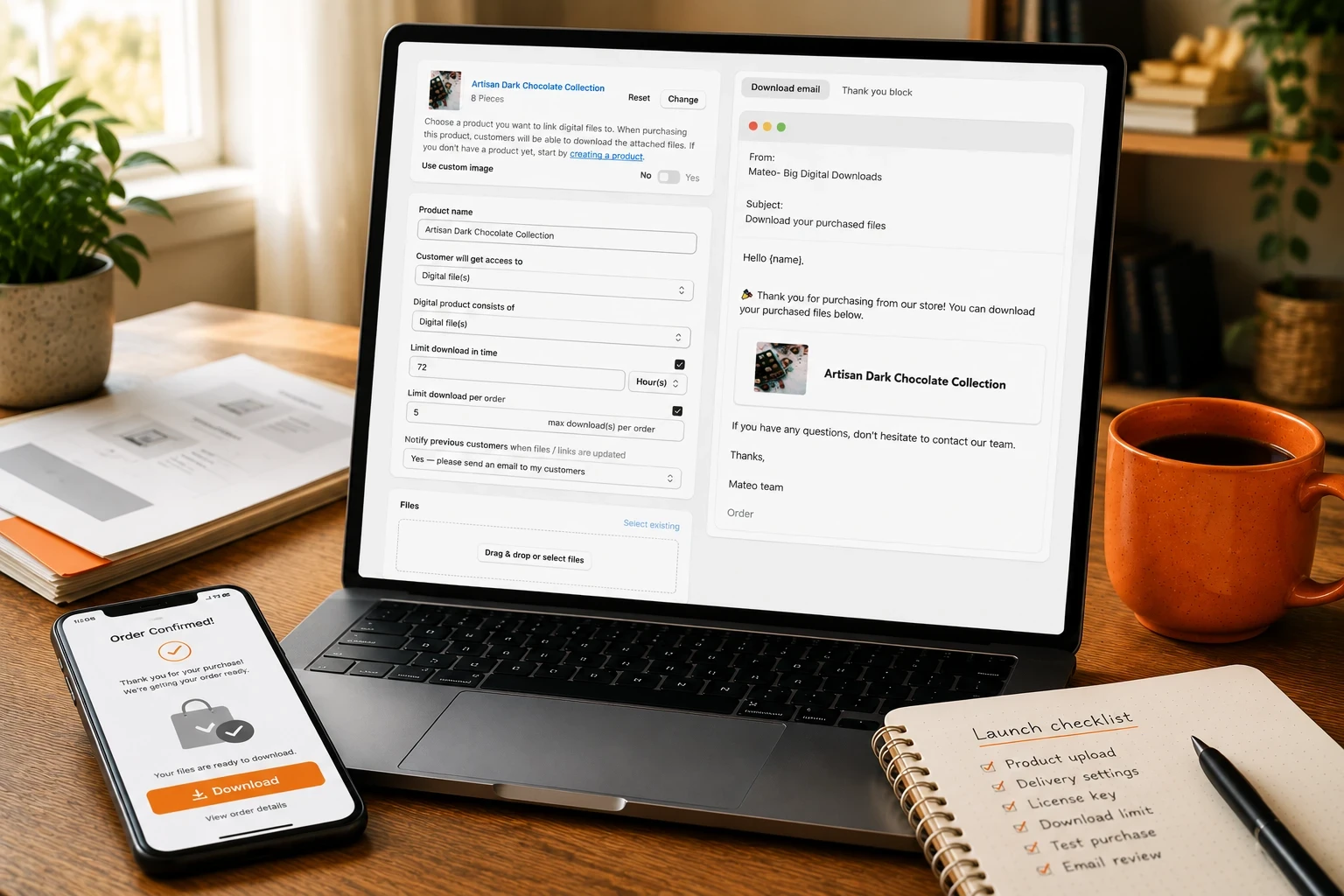
If you sell software, plugins, fonts, or game codes, the free app has nothing for you. It attaches files to products. It does not generate, assign, or track unique keys per order. Anyone selling license-based products needs a third-party app from day one, not eventually.
The free app lacks advanced features like PDF stamping or license key management. For ebook authors and template designers, that means a customer can forward the exact file you sold them to a friend with zero deterrent. Watermarking with the buyer's name and order number is standard in paid apps precisely because it works as a quiet "don't share this" reminder.
Shopify's native tool does not offer deep insights into customer engagement with the digital files. You can see that an order shipped a file. You cannot easily see which products are getting downloaded repeatedly, which links are going stale, or which customers never opened their file (a strong predictor of a refund request or a support ticket).
The free app caps file size at 5 GB per file, and while Shopify says there's no bandwidth limit for downloads, you're still hosting everything on Shopify's own file servers with no CDN options or external storage integrations. A seller doing 4K video courses or large RAW photo packs runs into this fast.
If a customer buys a digital product and a physical product in the same order, Shopify's checkout still assumes a physical fulfillment flow underneath: shipping address fields, a fulfillment status, sometimes tracking prompts that make no sense for a file. The free app handles the digital half fine on its own, but the combined order experience can look confusing to a customer who's never bought a digital good from your store before. If you sell both digital and physical products regularly, test a mixed cart yourself before assuming it works the way you'd expect.
Before you pick an app, map your actual product type to actual failure modes. Choosing wrong here costs you support tickets and refund disputes later, not just money.
Skip an app that can't generate license keys if you sell software, fonts, or anything activation-based. A pure file-delivery app will leave you stitching together a separate key system, which is exactly the kind of manual workaround that breaks at 2am when a customer is locked out.
Skip an app with no download limits or expiring links if your product has any resale value at all. Templates, presets, and ebooks get shared in Facebook groups and Discord servers constantly. An app that lets you cap downloads per order or set link expiration is the difference between losing a sale once and losing it forever to a forwarded link.
Skip an app that hosts only inside Shopify's file system if you sell large video files. You'll want to know what the real file size ceiling is, not the advertised one, and whether large files actually deliver fast for customers on slower connections.
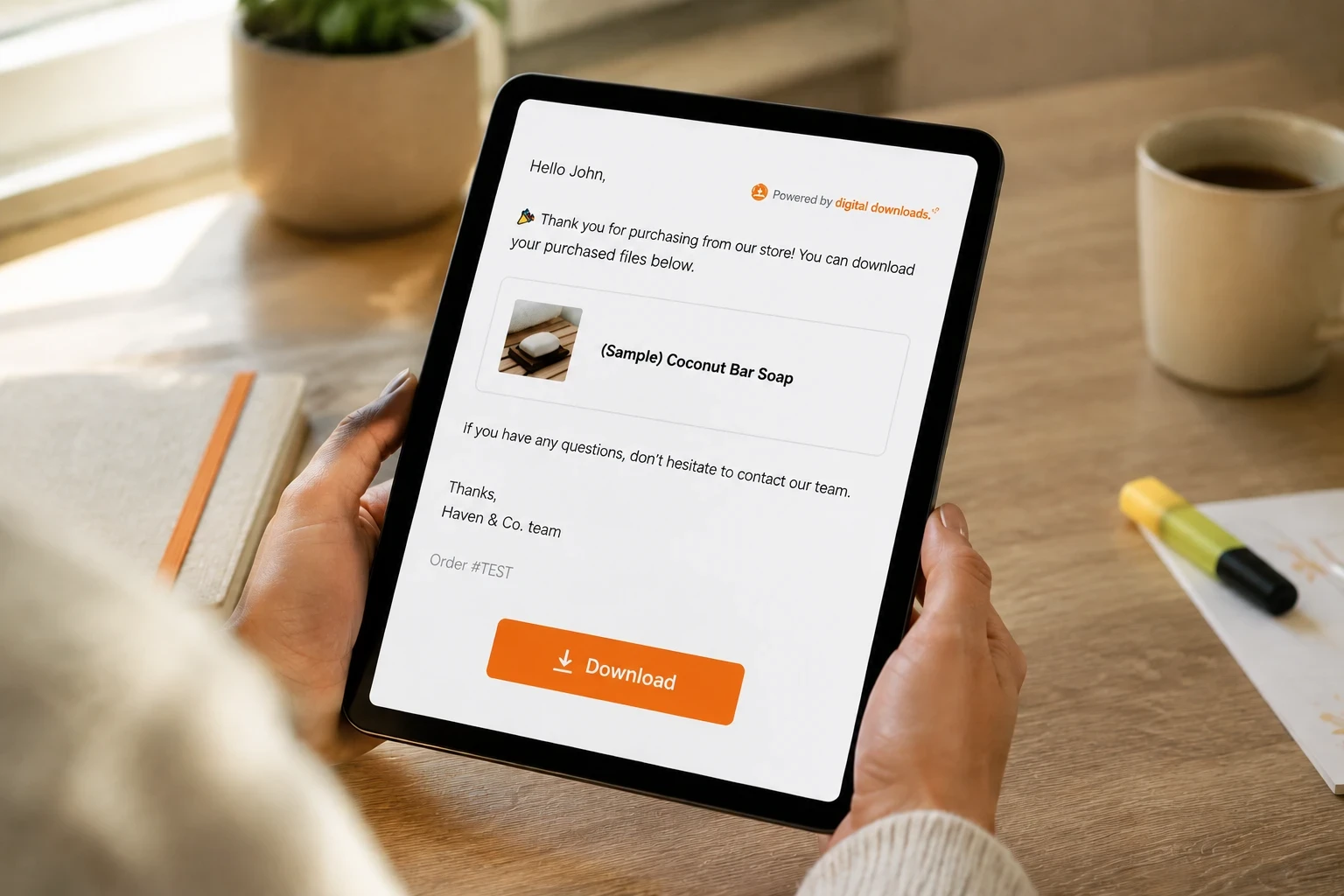
Setting up Big Digital Downloads takes about five minutes if you're starting from scratch, and a bit longer if you're migrating products that already exist in your store.
From the Shopify App Store, install Big Digital Downloads and open it from your Shopify admin. Pick an existing product or create a new one, then attach your file. Unlike the free app, you can attach multiple files to a single product and let customers download them individually or all at once.
Big Digital Downloads delivers files three ways: an automatic email the moment the order completes, a download button directly on the Thank You page, and persistent access from the customer's account order history. You don't have to pick one. All three are active by default, which matters because email delivery alone means a customer who can't find that one email has no other way to get their file.
For anything resellable, turn on download limits and, for PDFs, stamping. PDF stamping embeds the buyer's email or order number directly into the file, which doesn't stop sharing outright but makes anyone tempted to repost it think twice.
If you sell software or activation-based products, the license key feature lets you upload a batch of keys and have one assigned automatically per order, no manual fulfillment, no spreadsheet tracking who got which code.
If you want to see this kind of setup in action end to end, Stewart Gauld walks through building a full digital product store on Shopify in this 2026 tutorial. It covers the product creation and delivery flow that applies whether you're using the free app or a dedicated one, and it's a useful primer before you touch your own settings.
Shopify Digital Downloads is free and built into the platform, which is exactly why it's worth starting with if you're testing whether digital products even fit your store. It handles one file type well: a small PDF, image, or audio file sent by email after purchase. Where it falls short is everything past that single use case. No license keys, no watermarking, no real analytics, and a 5 GB per-file size limit that becomes a real constraint for video sellers. It's the right call for a side project testing one ebook. It's the wrong call for a business.
Big Digital Downloads is built specifically to cover what the free app skips: license keys, PDF stamping, three delivery channels instead of one, and storage that scales with your plan instead of a flat platform cap. The free plan includes 250MB storage and 50 orders, and paid plans start at $9.99/month. Where it's weaker than some competitors is in built-in marketing tooling. It's a delivery and protection app first, not an affiliate or upsell platform, so if you need native affiliate tracking you'll be pairing it with another tool.
A practical example: a 3-person team selling editable wedding invitation suites needs both license-free templates delivered as files and a way to stop the same $25 suite from getting passed around in Facebook wedding-planning groups. The free Shopify app delivers the file but does nothing to discourage that sharing. Big Digital Downloads' download limits and PDF stamping target exactly that gap, which is also why bundling related templates together (covered in Big Digital Downloads' guide to bundling and upselling) tends to outperform selling them as single, easily-forwarded files.
Sky Pilot is the closest direct competitor in the digital downloads category, also rated highly on the Shopify App Store, with a strong reputation for membership-style access and exclusive video streaming alongside standard file delivery. It's a genuinely good option if your business model leans toward gated content or recurring access rather than one-time file delivery. Where it's a step behind on pure file delivery is the simplicity of setup for a merchant who just wants to attach a PDF and move on.
SendOwl has been delivering digital products since before most Shopify apps existed, and that maturity shows in its reliability and its built-in affiliate management, letting you recruit partners and automate commission payouts natively. It also handles payment processing directly through PayPal and Stripe, which can simplify checkout for some sellers. The tradeoff is price: plans start higher than Big Digital Downloads, which matters if you're a smaller seller who doesn't need the affiliate infrastructure yet.
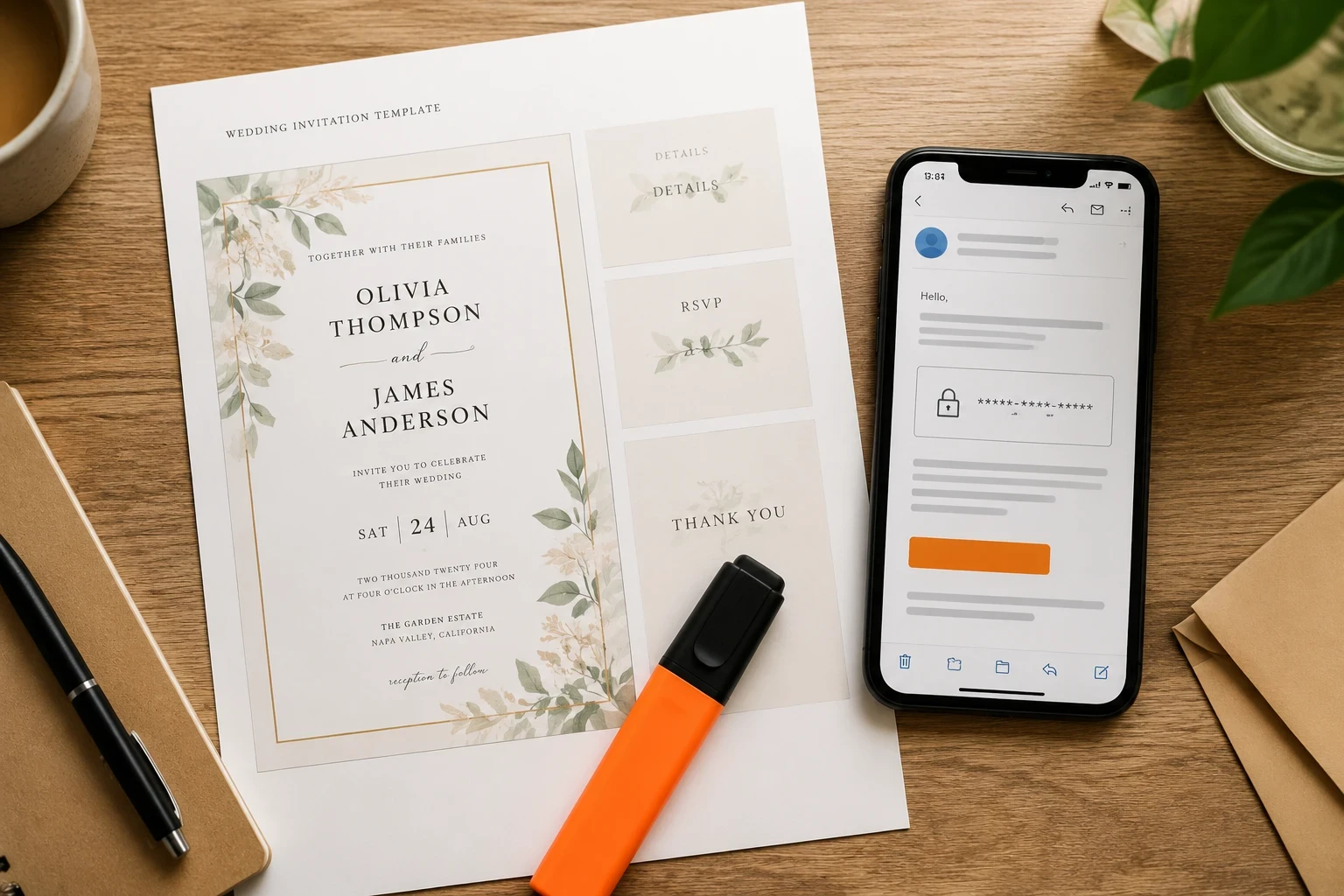
Test the actual customer experience, not just the admin setup. Buy your own product with a test order if your app supports it, or place a real $1 order and refund it after. The number one source of "I paid but didn't get my file" tickets is an untested edge case, like a customer whose email provider flags the delivery email as spam.
Set a download limit even if you don't think you need one. Three to five downloads is usually generous enough for a customer to access their file on a phone and a laptop without feeling restricted, while still discouraging casual reposting.
Write your refund policy before your first sale, not after your first dispute. Digital products are typically non-refundable once delivered precisely because the file can't be "returned." State that clearly on the product page so customers see it before they buy, not in a support ticket after.
If you're just getting started and ebooks or PDFs are your main product, Big Digital Downloads' guide on selling ebooks and PDFs on Shopify covers the pricing and positioning side of this in more depth than this article does.
Check who answers your support tickets before you commit to an app long-term. Digital delivery issues tend to be time-sensitive (a customer who can't access what they just paid for wants an answer in minutes, not days), so a live chat option or a support team that actually responds same-day matters more here than it does for most app categories.
Technically yes, but running two delivery apps on the same store usually causes duplicate emails or conflicting download links for the same product. Most merchants pick one app per product type rather than running both simultaneously. If you're migrating from the free app, disable it on a product before activating a paid app on that same product.
No. The free Digital Downloads app lacks license key management entirely. If you sell software, plugins, or anything requiring a unique activation code per order, you need a dedicated app like Big Digital Downloads from the start, not as an upgrade later.
This depends on the app, not Shopify itself. With Big Digital Downloads, customers can re-access their file anytime from their account order history or by requesting the email be resent, so an expired or lost link isn't a dead end. With Shopify's free app, the same logic applies: the file is tied to the order, and you can resend the delivery email manually from the app's order screen if needed.
Yes, and this is exactly the case the free Digital Downloads app is built for. For beginners selling a small number of files, it's a cost-effective choice that requires no monthly fee. The calculus changes the moment you add a second product type (like a license key) or start getting refund requests you can't easily resolve. At that point the time you're spending on manual workarounds usually costs more than a $9.99/month plan would.
You can't make sharing impossible, but you can make it inconvenient enough that most customers don't bother. Download limits cap how many times a single link can be used. PDF stamping embeds the buyer's information directly into the file. Neither stops a determined person from screenshotting or re-uploading content, but both meaningfully reduce casual sharing, which is where most lost revenue actually comes from. If you're weighing whether a free app can handle this at all, Big Digital Downloads' roundup of free and low-cost Shopify apps for digital products breaks down which free tiers include protection features and which don't.
Shopify's free Digital Downloads app is genuinely fine for one thing: a single, low-stakes file sent by email after purchase. The moment you sell license keys, need download protection, or want to know which files are actually getting opened, you've outgrown it. Big Digital Downloads exists specifically to cover that gap with three delivery channels, PDF stamping, license key support, and storage that scales with you instead of stopping at a fixed cap. If you're past the testing phase, install Big Digital Downloads from the Shopify App Store and start on the free plan to see the difference firsthand.

